Ergonomic Keyboard Wrist Rests: Built-In vs. Separate
6th May•9 min read

Choosing between a 65% and 75% compact gaming layout is one of the most practical decisions you'll make for long sessions. Both save significant desk real estate compared to full-size boards, but they split functionality in distinct ways that directly impact your comfort, reflexes, and how you work with your mouse hand. Understanding these differences (grounded in actual layout specs and use-case testing) beats speculation every time. For a broader primer on layout choices (60%, 65%, 75%, TKL, full-size), see our keyboard layout guide.
The core tension is simple: a 65% maximizes mouse space and portability by dropping the function row (F1 to F12) entirely, while a 75% reclaims those keys in a compressed band, trading a few extra inches of desk footprint for faster access to in-game shortcuts and productivity commands. Neither is objectively "better." Which fits depends on your playstyle, hand geometry, and whether you'll accept a learning curve or prefer immediate familiarity.
The numbers matter because they translate to ergonomic and practical outcomes.
A 65% keyboard measures roughly 12 inches (305mm) wide and holds approximately 67 to 68 keys. It strips away the function row and full navigation cluster but retains dedicated arrow keys, a major leap from a 60% layout, which forces you into function layers for navigation. This balance is why the 65% has become the default compact choice for both gamers and writers who want simplicity without constant key hunting.
A 75% keyboard adds only about 0.5 inches (10 to 13 mm) in width compared to a 65%, reaching approximately 12.5 inches (318mm), yet packs roughly 16 extra keys, typically 82 to 84 total. Those additions include a full function row and a compressed navigation cluster featuring Home, End, Page Up, Page Down, and Delete. For gamers, this means quick access to F1 to F12 without layer switching. For coders and designers working across applications, it's often the difference between one keystroke and five.
Desk space saved: a 65% frees up roughly 40% compared to a full-size board, while a 75% preserves about 35%. The practical gap is modest (often 1 to 2 inches), but it matters most if you're using a tray, a split layout, or running dual monitors in a confined space.
For FPS and tactical shooters, the 65% wins decisively. If you want specific model picks optimized for this genre, check our best FPS mechanical keyboards. Here's why: low-DPI players who need wide mouse pad real estate benefit from every millimeter of desk width. A 65% guarantees that space. Additionally, the absence of a function row means fewer accidental presses when your hand brushes the keyboard during rapid mouse movement, a genuine risk with a 75%'s top row, especially under fatigue.
For fighting games and rhythm titles, the 65% edges ahead again. Arrow keys are positioned closer to the main alphanumeric cluster, allowing faster, tighter combos. The minimal key count also reduces the chance of hitting an unintended key during complex input sequences.
That said, a 75% isn't a gaming liability; it's simply less optimized for those specific genres. If you play turn-based RPGs, strategy games, or titles where reaction speed is secondary to precision clicking, the added keys and function row are arguably an asset rather than clutter.
This is where ergonomics and cognitive load diverge sharply.
On a 65%, access to the function row requires a Fn key combination (typically Fn + number row, e.g., Fn+1 for F1). For occasional users, this is fine. For programmers, designers, or streamers who rebind F-keys constantly, it becomes friction. You must reprogram and memorize layers using tools like QMK or VIA. However, once you've built those layers, many power users report faster execution than reaching for distant function keys on a larger board.
A 75% dedicates the function row permanently, meaning F-keys respond instantly without modifiers. This is familiar to anyone transitioning from a full-size keyboard and requires zero learning overhead. For anyone working across software suites that rely on F-key shortcuts, or switching between computers frequently, this familiarity compounds into consistency.
Neutral is a performance setting. When your keyboard layout matches your muscle memory and hand geometry, your accuracy stabilizes before your rank climbs.
A 75%'s compressed function row sits directly above the number row, creating a tighter spatial footprint. Some users report increased accidental presses, especially during high-intensity gaming. The fix many newer 75% boards employ is an "exploded" layout: small gaps between key groups that help your fingers distinguish keys by touch and reduce misclicks during fast play.
A 65%, by contrast, has minimal "extra" keys to hit accidentally. Your hand stays focused on a narrower zone. This is particularly helpful if you're recovering from wrist fatigue or prone to pinky strain from lateral reaches.
Both layouts are highly customizable, but the tooling differs.
65% keyboards excel at layer-based customization. With a dedicated Fn key and programmable firmware, you can:
The learning curve is real, but the payoff is complete personalization.
75% keyboards offer more direct key accessibility. Because the function row is hardwired, you can bind shortcuts to F1 to F12 directly without layers, reducing cognitive overhead. Additionally, many 75% boards support RGB lighting zones that coordinate with macros, adding visual feedback for layer switching or game events.
If you're a minimalist, the 65% layer approach appeals. If you prefer one-to-one key binding without mental translation, the 75% wins.
Weight and footprint matter if you attend tournaments, travel between offices, or stream from different setups.
A 65% is lighter and smaller, making it genuinely portable. You can fit it in a laptop bag alongside a mouse and cables without bulk. A 75%, while still far lighter than a full-size board, is slightly heavier and requires a bit more luggage real estate.
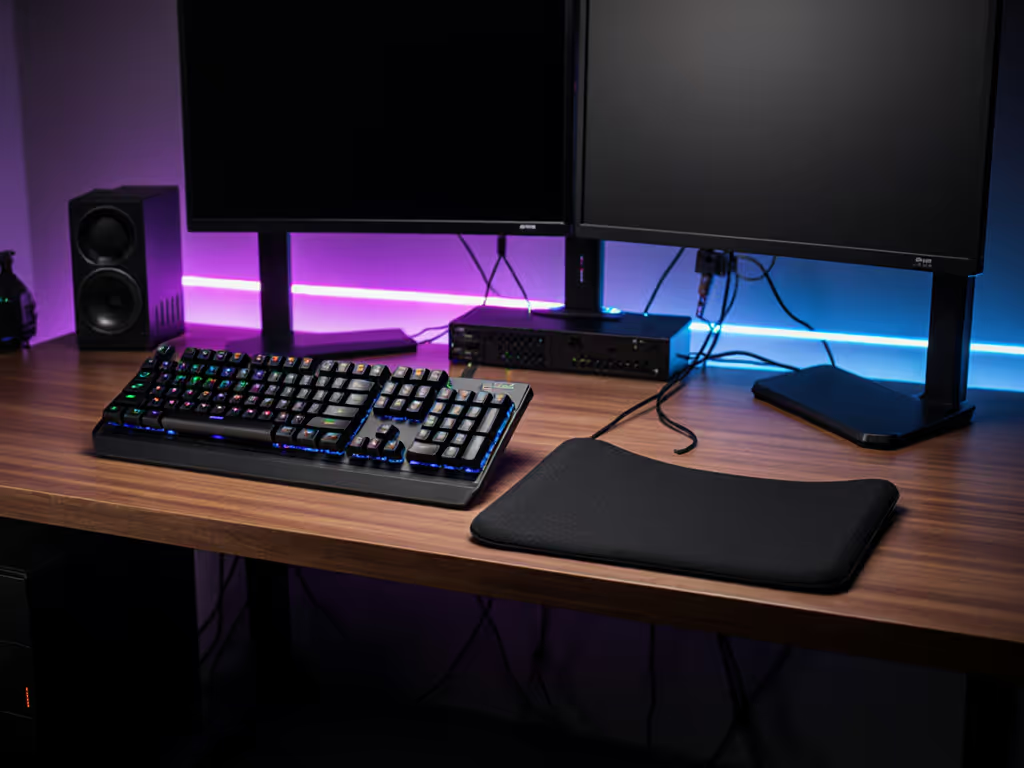
Wrist rest compatibility also diverges. Most 65% boards use standard 60% wrist rests (widely available and affordable). A 75% often requires a dedicated wrist rest, which adds cost and complexity if you're building from components. That said, wrist angle is critical for long-session comfort. For keyboards with integrated palm rests engineered for gaming comfort, see our built-in wrist rest picks. A mismatched rest can induce the exact fatigue I've logged and tracked for years: nagging heat in the wrist, loss of aim consistency, and forearm fatigue. Choosing the right rest matters more than the keyboard size.
If you're upgrading from a full-size keyboard, the 75% feels immediately familiar. The function row and navigation cluster sit exactly where you expect them, requiring zero adjustment. Muscle memory transfers in minutes.
A 65% demands a one- to two-week acclimation period. You'll need to relearn Fn layers for the missing keys, and your first gaming session will likely feel cramped. However, once that layer muscle memory builds, many users report faster overall performance: fewer hand movements, less wrist strain, better mouse control. After months of mapping and testing, comfort compounds into consistency, which is the real high score.
Both layouts use mostly standard key sizes, but edge cases exist.
A 65% sometimes features a shorter right Shift key (often 1.75U instead of 2.25U) to accommodate a vertical navigation column. This limits keycap set options, as not all sets include a 1.75U shift. A 75%'s Shift is typically standard, though some compact layouts include a 1.75U right Shift as well.
Before purchasing, verify keycap compatibility if you plan to swap sets. Also consider south-facing vs north-facing PCBs, which affect keycap compatibility and RGB visibility. Most mainstream sets now support both layouts, but smaller artisan runs may not.
Choose a 65% if you:
Choose a 75% if you:
Your choice ultimately rests on how much you value mouse real estate and gaming reflexes versus familiar key access and low transition friction. Both 65% and 75% save you significant space compared to full-size boards, and both support the input devices and ergonomic setup (angle, wrist rest, switch weight) that actually drive long-session comfort and accuracy.
Before buying, test both layouts if possible. Visit a local shop, watch side-by-side reviews, and spend time on layer mapping if a 65% appeals to you. Watch for neutral wrist angles, arm posture, and feel in motion, as those measures matter far more than RGB or brand reputation.
Your setup will evolve as your playstyle and role change. The best compact gaming keyboard is the one that supports that evolution without forcing you into pain or friction.